scan my mess, on iPhone
The app that tells you what to clean first
Take a photo of the mess and Nudge pins the first things to move, then lights them up one at a time. No tidying first and no list to plan. Rather not take a photo? It still hands you one tiny task sized to today.
7-day free trial on Monthly and Annual for eligible new subscribers · Weekly has no trial
Built from the can't-start problem, not a perfect-home ideal
I build Nudge alone, and I live with executive dysfunction. I designed it around one tiny action, changing capacity, and restarting without a missed-day penalty—the cleaning support I wanted to use myself.
How Scan My Mess decides where to start
step 1
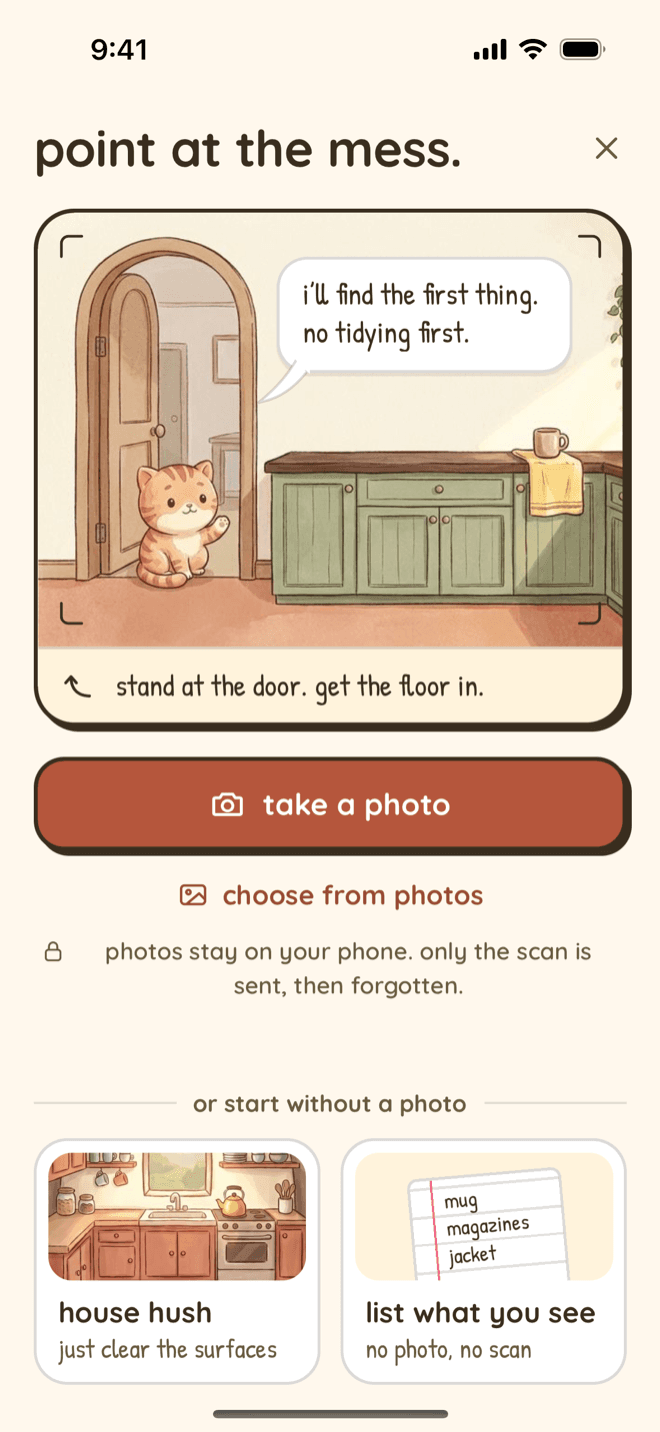
Stand at the door and take one photo
Or choose one from your photos. Get the floor in. Nothing needs tidying first, and you do not have to plan anything.
step 2
It pins the things worth moving
Nudge looks at the photo, puts a pin on each thing worth picking up, and names the one to start with.
step 3
You choose how many for today
All of them, or just a few. The rest wait, and in the app's own words, they are not a debt.
step 4
One pin at a time
The photo dims except for the pin you are on, with a short instruction and a timer. Tap done, skip it, or choose not today.
step 5
Stop halfway if you need to
Your first done already counts for the day. Leave the app mid-clean and the list waits on your phone for up to a day; open Scan My Mess again and it offers to pick up where you left off.
step 6
See what changed
At the end it counts what you moved. If you like, take an after photo and see the two side by side. The pair is for you to look at in the moment; it is not saved.
No photo? Three other ways in
A photo is optional. The same screen offers two ways to start without one, and the home screen has a third.
- List what you see. Type the things in front of you, like a mug on the desk, and Nudge hands them back one at a time. No photo and no scan.
- House hush. Clear only the tops you can see: counters, tables, shelves. The rest can stay.
- One tiny task. Tell the home screen how much you have got today, and it gives you the next small step.
The rest of Nudge, one tap away
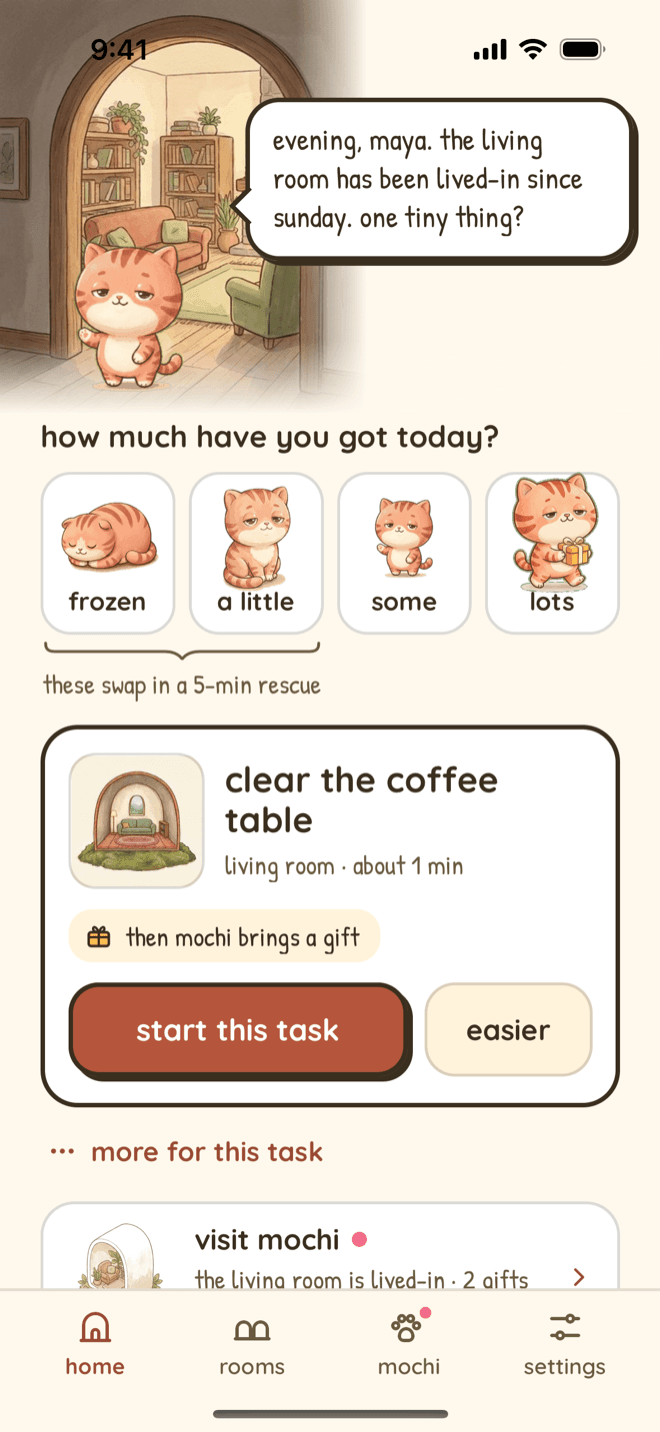
one tiny thing?
The home screen asks how much you have got today, from frozen to lots, and offers the next small step.
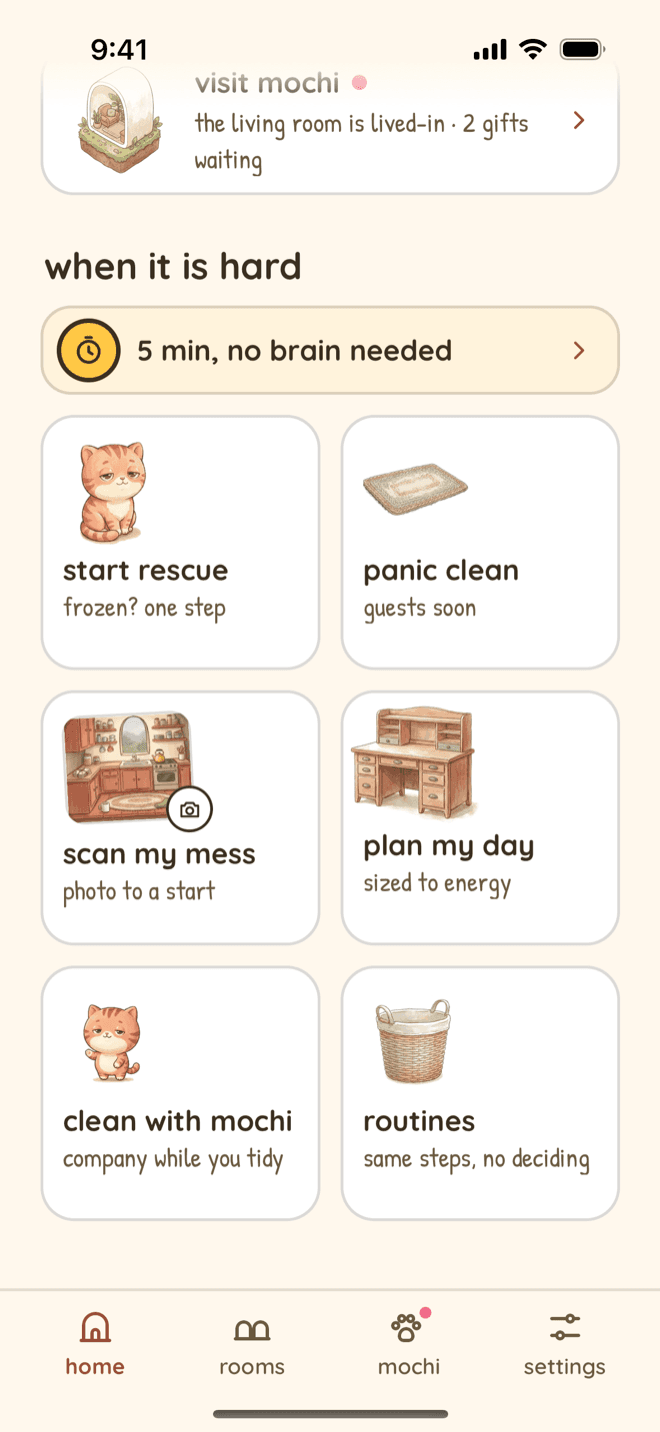
when it is hard
Scan My Mess sits next to Start Rescue, Panic Clean, Plan my day and Clean with Mochi.
What happens to the photo
Room photos are optional, sent to Claude by Anthropic to generate a plan, and not permanently stored by Nudge after generation. They are not used to train AI models. If you leave the app halfway through a scan, the list and a copy of the photo wait on your phone so you can pick up where you left off. The after photo at the end of a scan stays on screen for you to compare and is not saved. Read the full room-photo privacy details.
What it is good at, and what it is not
Good at
- Rooms where the mess is things you can see, on floors, beds and surfaces.
- Picking a first move when everything looks equally urgent.
- Short sessions: a handful of moves, not a deep clean.
Not built for
- A weekly chore rota or a shared household. A recurring chore app like Tody or Sweepy fits that better.
- Inside drawers and cupboards. It can only work with what is in the photo.
- Very dark or blurry photos. If it cannot tell what to pin, it says so, says it is not your fault, and offers another photo or one category at a time instead.
The cleaning app comparison hub sets Nudge against Sweepy, Tody and others on price and fit, including where they are the better choice.
Point at the mess. Get a first move.
Nudge is a subscription for iPhone. You can try one tiny task before you choose a plan. Weekly is $2.99 with no free trial. Monthly is $6.99 and Annual is $49.99, and both include a 7-day free trial for eligible new subscribers, so nothing is charged before day 7. Cancel anytime in Apple ID settings. Scan My Mess is part of every plan, including during the free trial.
Doing it without an app
You can get most of the way with a bag, a basket and a fixed order. How to clean your room with ADHD, step by step walks one bedroom pass by pass, with a printable checklist. If the stall happens before any of that, executive dysfunction and cleaning: six stuck points helps you find where it happens and what to try there.
For everything else the app does, see the ADHD cleaning app page, with real screens from the App Store version.
Questions
Is there an app that tells you what to clean?
Yes. Nudge does it two ways on iPhone. Scan My Mess looks at a photo of the room and pins the first things to move, one at a time. The home screen hands you one tiny task sized to the energy and time you have today. Recurring chore apps such as Tody and Sweepy tell you what is due on a schedule instead.
Is Nudge an AI cleaning app?
Partly. Scan My Mess, task breakdowns, Panic Clean and Plan my day use Claude, by Anthropic, to turn your situation into small steps. The steps are still yours to skip, snooze or stop.
Is Scan My Mess free?
No. Nudge is a subscription with no free tier, and Scan My Mess is part of every plan. Monthly and Annual include a 7-day free trial for eligible new subscribers, and the scan works during the trial. Weekly has no trial.
Do I have to take a photo?
No. You can type a list of what you see instead, or choose a house hush that only clears the surfaces. Neither one sends a photo anywhere.
What if I stop halfway through a scan?
Your first done already counts for the day. Since version 1.3.5, Nudge keeps the list on your phone if you leave the app mid-clean: open Scan My Mess again within a day and it asks whether to pick up where you left off, with your ticks still there.
What happens to my room photo?
Room photos are optional, sent to Claude by Anthropic to generate a plan, and not permanently stored by Nudge after generation. They are not used to train AI models.
Is Nudge available on Android?
No. Nudge is available for iPhone on the App Store.
Does Nudge diagnose or treat ADHD?
No. Nudge organizes cleaning tasks; it does not diagnose or treat ADHD.
How Scan My Mess works was checked against Nudge 1.3.5 on 2026-10-13. Tell us on the support page if anything here is out of date.
Nudge organizes cleaning tasks; it does not diagnose or treat ADHD.